How to Automate in StarRupture
Beginner to Advanced Guide
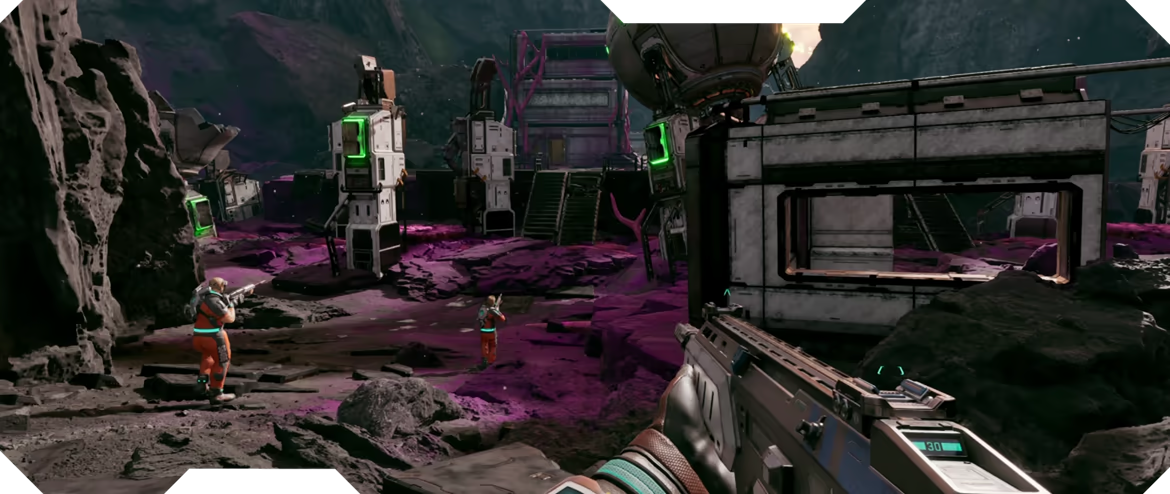
Automation is the key to progressing efficiently in StarRupture. Instead of manually gathering resources and crafting items, automation systems let machines do the work while you explore, build, or fight enemies.
This guide covers everything you need to know about automation in StarRupture: what automation is, how to start with basic systems, mid-game factory setups, advanced optimization techniques, and common mistakes to avoid. Whether you're just unlocking your first conveyor belt or building massive production lines, this guide will help you automate efficiently.
What is Automation in StarRupture?
Automation in StarRupture refers to using machines and systems to automatically gather, process, and craft resources without manual input. This includes:
Core Automation Systems
- Mining Drills: Automatically extract ore from resource deposits
- Conveyor Belts: Transport items between machines
- Assemblers: Craft items automatically from input materials
- Smelters: Process raw ore into refined materials
- Storage Systems: Automatically sort and store items
- Power Systems: Generate electricity to run machines
Why Automate?
Automation provides massive benefits:
- Save Time: Machines work 24/7 while you do other tasks
- Scale Production: Produce thousands of items per hour
- Free Your Time: Focus on exploration, combat, and building
- Consistent Output: Never run out of essential materials
- Late Game Requirement: Advanced tech requires automated production
Most players start automation around day 5-7. The sooner you automate, the faster you'll progress!
check Prerequisites for Automation
Before you can start automating, you need to unlock certain technologies and gather key resources:
Required Technologies
- Basic Automation (Tech Tree unlock)
- Conveyor Systems
- Power Generation
- Advanced Crafting
Check our tech tree guide for the fastest unlock path.
Essential Resources
| Resource | Amount Needed | Purpose |
|---|---|---|
| Iron | 200+ | Machines, structures |
| Copper | 150+ | Wiring, circuits |
| Steel | 100+ | Advanced machines |
| Electronics | 50+ | Control systems |
| Coal/Fuel | 100+ | Power generation |
Early Automation (Days 5-10)
Your first automation systems should focus on the most time-consuming tasks: mining and smelting.
Step 1: Build Your First Mining Drill
Mining drills automatically extract ore from resource deposits.
- Find a rich iron or copper deposit
- Craft a mining drill (requires 20x Iron, 10x Copper, 5x Gears)
- Place drill directly on the resource deposit
- Connect power source (generator or power line)
- Add output chest to collect mined ore
Result: Passive ore generation while you do other tasks!
Step 2: Automate Smelting
Connect your mining drill to automated smelters.
- Build 2-3 furnaces near your drill
- Craft basic conveyor belts (5x Iron each)
- Connect drill output → conveyor → furnace input
- Add fuel input (coal or wood) to furnaces
- Connect furnace output → storage chest
Pro tip: Use splitters to distribute ore evenly across multiple furnaces for faster processing.
Step 3: Set Up Power Generation
All machines need power to operate.
- Coal Generator: Burns coal for steady power (early game)
- Solar Panels: Free power during daytime (mid game)
- Wind Turbines: Consistent power in windy areas
- Batteries: Store excess power for nighttime
Start with 2-3 coal generators. Upgrade to solar + batteries later for free power.
Step 4: Your First Production Line
Create a simple automated production line:
Basic Iron Production Line:
Mining Drill → Conveyor → Furnace → Conveyor → Storage Chest
This simple setup will produce 60-100 iron ingots per hour automatically!
trending-up Mid Game Automation (Days 10-20)
Once you have basic mining and smelting automated, expand to more complex systems.
Advanced Conveyor Systems
Learn to use advanced conveyor components:
- Splitters: Divide items between multiple outputs (50/50 split)
- Mergers: Combine multiple inputs into one output
- Filters: Sort items by type automatically
- Underground Belts: Pass conveyors under other structures
- Fast Belts: 2x speed for high-throughput lines
Automated Crafting with Assemblers
Assemblers automatically craft items from input materials:
- Build an assembler (30x Steel, 20x Electronics)
- Set the recipe you want to automate (e.g., gears, circuits, ammo)
- Connect input conveyors with required materials
- Connect output conveyor to storage or next machine
- Ensure steady power supply
Multi-Stage Production Lines
Chain multiple machines for complex items:
Example: Automated Circuit Production
Iron Drill → Furnace → Iron Ingots
Copper Drill → Furnace → Copper Ingots
Both → Assembler (Wires) → Assembler (Circuits) → Storage
Smart Storage Systems
Organize your production with smart storage:
- Filtered Chests: Only accept specific item types
- Storage Arrays: Multiple chests connected by conveyors
- Overflow Protection: Redirect excess items to secondary storage
- Priority Systems: Fill important chests first
Advanced Automation (Week 3+)
Late game automation focuses on massive scale, efficiency, and complex production chains.
Factory Design Principles
- Main Bus Design: Central conveyor highway feeding all production lines
- Modular Sections: Separate areas for different production types
- Scalability: Leave space to expand production lines
- Clear Pathways: Easy access for maintenance and upgrades
Resource Ratios and Balancing
Balance your production to avoid bottlenecks:
| Production Goal | Required Ratio | Example Setup |
|---|---|---|
| Iron Ingots | 1 Drill : 2 Furnaces | 1 drill feeds 2 furnaces perfectly |
| Copper Wire | 1 Furnace : 2 Assemblers | 1 copper furnace → 2 wire assemblers |
| Circuits | 2 Iron : 1 Copper | 2 iron lines + 1 copper line |
| Advanced Parts | 3 Assemblers : 1 Output | 3 component assemblers → 1 final assembler |
Power Optimization
Advanced power systems for large factories:
- Solar Farms: 50+ solar panels with battery banks
- Nuclear Power: Massive power output (late game)
- Power Switches: Turn off sections when not needed
- Backup Generators: Emergency power during outages
Logistics Networks
Connect multiple production areas:
- Long-distance conveyor lines between bases
- Train systems for bulk transport (if available)
- Drone delivery systems for remote areas
- Automated loading and unloading stations
Automation Tips & Best Practices
Tip #1: Start Small, Scale Up
Don't try to automate everything at once. Start with one production line, get it working, then expand.
- Week 1: Automate iron mining and smelting
- Week 2: Add copper production and basic crafting
- Week 3: Build complex multi-stage production lines
Tip #2: Plan Your Layout
Leave space between production lines for future expansion and maintenance.
- Use grid-based layouts for clean organization
- Leave 5-10 tiles between major sections
- Plan conveyor routes before building machines
Tip #3: Monitor Bottlenecks
Watch for backed-up conveyors or idle machines:
- Backed-up conveyors = too much input or not enough output
- Idle machines = not enough input materials
- Add more machines or faster conveyors to fix bottlenecks
Tip #4: Use Color Coding
Paint conveyors and machines by function:
- Red = Iron production
- Orange = Copper production
- Blue = Electronics
- Green = Final products
Tip #5: Automate Resource Collection First
Prioritize automating the most time-consuming tasks:
- Mining (iron, copper, coal)
- Smelting (ore → ingots)
- Basic components (gears, wires, circuits)
- Advanced crafting (tools, weapons, ammo)
Learn more about resource priorities in our best resources guide.
alert Common Automation Mistakes
x Mistake #1: Not Enough Power
Building too many machines without enough power generation.
Solution: Build 2-3 generators for every 5-10 machines. Monitor power usage and add capacity before expanding.
x Mistake #2: Spaghetti Conveyors
Messy, tangled conveyor belts that are impossible to maintain or expand.
Solution: Use main bus design with organized parallel lines. Plan routes before building.
x Mistake #3: Ignoring Ratios
Building unbalanced production lines with bottlenecks.
Solution: Use the ratio table above. Match machine counts to production rates.
x Mistake #4: No Storage Buffers
Production stops when output is full because there's no storage.
Solution: Add large storage chests at the end of every production line. Use overflow systems.
x Mistake #5: Building Too Close Together
No room to expand or add new production lines.
Solution: Leave 5-10 tiles between sections. Plan for future expansion from the start.
trending-up Automation Progression Timeline
Days 1-5: Manual Gathering
- Focus on unlocking automation technologies
- Gather resources manually: iron, copper, coal
- Build basic infrastructure and power systems
- Research conveyor belts and mining drills
Days 5-10: First Automation
- Build first mining drill on iron deposit
- Set up automated smelting with 2-3 furnaces
- Create basic conveyor system
- Install coal generators for power
- Result: 60-100 iron ingots/hour passive income
Days 10-15: Expansion Phase
- Add copper mining and smelting automation
- Build first assemblers for basic components
- Automate gear and wire production
- Upgrade to fast conveyor belts
- Add storage systems and filters
Days 15-20: Complex Production
- Multi-stage production lines for circuits
- Automated ammo and tool production
- Solar power systems with batteries
- Main bus design implementation
- Result: 500+ items/hour across multiple products
Week 3+: Mega Factory
- Massive production arrays with 20+ machines
- Automated production of all basic items
- Advanced logistics and transport systems
- Nuclear power or large solar farms
- Result: Thousands of items/hour, fully automated base
help-circle Frequently Asked Questions
Q: When should I start automating?
Start automation around day 5-7 after you've unlocked the basic automation technology and gathered 200+ iron and 150+ copper. The sooner you automate, the faster you'll progress.
Q: What should I automate first?
Automate iron mining and smelting first. Iron is the most important resource and mining it manually is very time-consuming. Set up one mining drill with 2-3 furnaces connected by conveyors.
Q: How much power do I need?
Each machine uses 5-10 power units. Start with 2-3 coal generators (30 power each) for your first automation setup. Add more generators as you expand. Late game, switch to solar panels with batteries.
Q: Why are my conveyors backing up?
Backed-up conveyors mean you're producing more than you're consuming. Add more output machines, increase storage capacity, or use splitters to distribute items to multiple production lines.
Q: How do I organize my factory?
Use a main bus design: create a central conveyor highway with parallel lines for different resources (iron, copper, circuits). Branch off this main bus for specific production areas. Leave space between sections for expansion.
Q: Can I automate everything?
Yes! Late game, you can automate almost everything: mining, smelting, crafting, even base defense. The goal is to have machines produce all basic items while you focus on exploration, combat, and advanced projects. Check our crafting tips guide for more automation strategies.
Automation Guide Summary
Automation is essential for efficient progression in StarRupture. Start with basic mining and smelting automation around day 5-7, then gradually expand to complex multi-stage production lines and massive factories.
Key Takeaways
- ✓ Start automation early (day 5-7) for maximum benefit
- ✓ Automate iron mining and smelting first
- ✓ Build 2-3 generators for every 5-10 machines
- ✓ Use main bus design for organized factories
- ✓ Balance production ratios to avoid bottlenecks
- ✓ Leave space between sections for future expansion
- ✓ Add storage buffers at the end of production lines
- ✓ Monitor power usage and add capacity before expanding
- ✓ Use splitters and filters for complex routing
- ✓ Scale up gradually: start small, expand systematically
Remember: Automation is an investment that pays off exponentially. The time you spend setting up production lines will save you hundreds of hours of manual gathering. Start simple, learn the systems, then build your dream factory!
Related Guides
hammer Crafting Guide
Learn crafting recipes and systems
git-branch Tech Tree Guide
Unlock automation technologies
How to Get Iron
Essential for building machines
How to Get Copper
Required for wiring and circuits
Best Resources Guide
Prioritize materials for automation
Crafting Tips
Optimize production efficiency